
Welcome to Omni24! Whether your customers reach out via chat, email, phone or social media, you'll be ready to help them from anywhere. It is a command center for creating amazing customer experiences. Let's take a tour of what makes Omni24 necessary for your team.
Benefits Of Omni24
- Provide support across channels - Solve customer support tickets via web, email, phone, SMS, and social media— all in one place.
- Enhance productivity - Use workflows, automation and AI to route your tickets to the right agent
- Boost customer satisfaction - Assist customers with online tickets by using better intel and less manual work
Quick Note: Omni24 homepage is our overview dashboard; it is your starting point to see everything that matters at a glance.
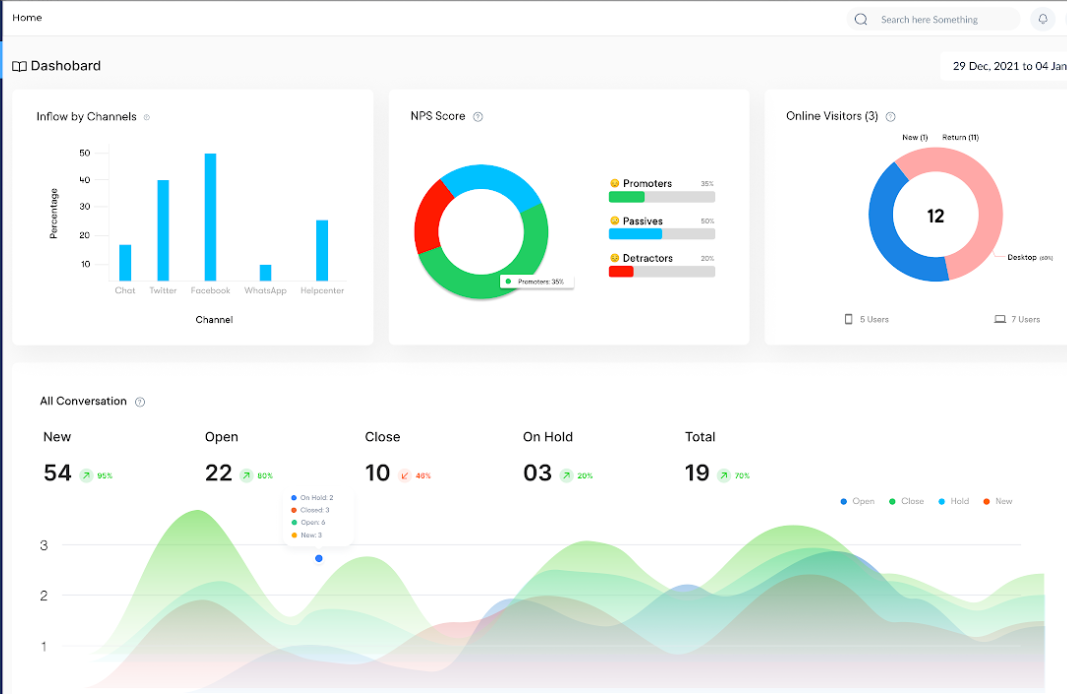
- Inflow By Channels
See exactly from which channels your customers are coming from. It shows you what brings you the most conversations, so you know where to focus your team's efforts and resources.
- NPS Score
Customer satisfaction is the most important metric for any business! Ask customers, "How likely are you to recommend us?" and track their responses to analyze how loyal and satisfied your customers are
- Online Visitors
Analyze how many people are browsing your website right now through desktop and mobile, perfect for knowing the peak time for incoming chats.
All Conversations
- All Conversations
This is where you analyze the total number of customer chats. Track all new, open and solved customer conversations to keep everything organized and easy to track.
- Survey Response
The cumulative count of customer feedback submissions received through surveys across a specified timeframe. It helps identify customer engagement, response patterns and gauge survey effectiveness.
Note: you can create three different types of surveys, Email, Web and In-App, learn more about each in detail
- Knowledge Base Search
Discover what customers are looking for in your help center. See which topics are more searched and where people get stuck to make your self-service even better.
Important: Knowledge base search depends on the number of articles searched by visitors
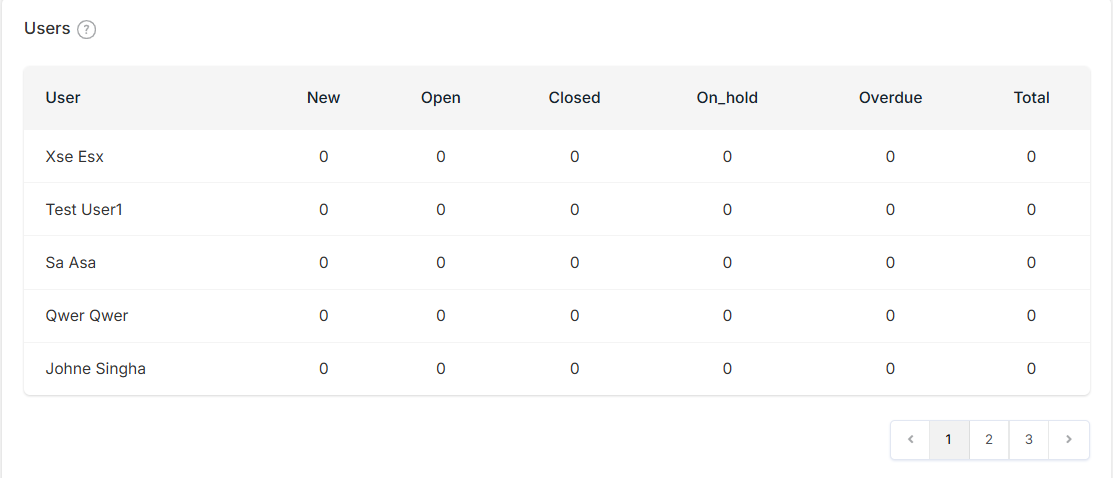
- Users
Shows the list of users based on customer conversations assigned to them. It helps in workload balancing and the ability to identify training needs through conversation-specific data.
Ready to dive in and make Omni24 work perfectly for your team? Let's set up
- How To get Started With Omni24: Take your first steps with Omni24 and explore all essentials
- Setup Your Team: Add colleagues and get everyone working together seamlessly