
Once you log in to Omni24 for the first time, you will be redirected to the Product Tour, where you will be provided with a product tour and user guide to help you familiarize yourself with everything about the platform.
Note: if you have missed it during the onboarding process or want to go through it again, you can start it by clicking on Getting Started from My Profile. Click on Take Tour
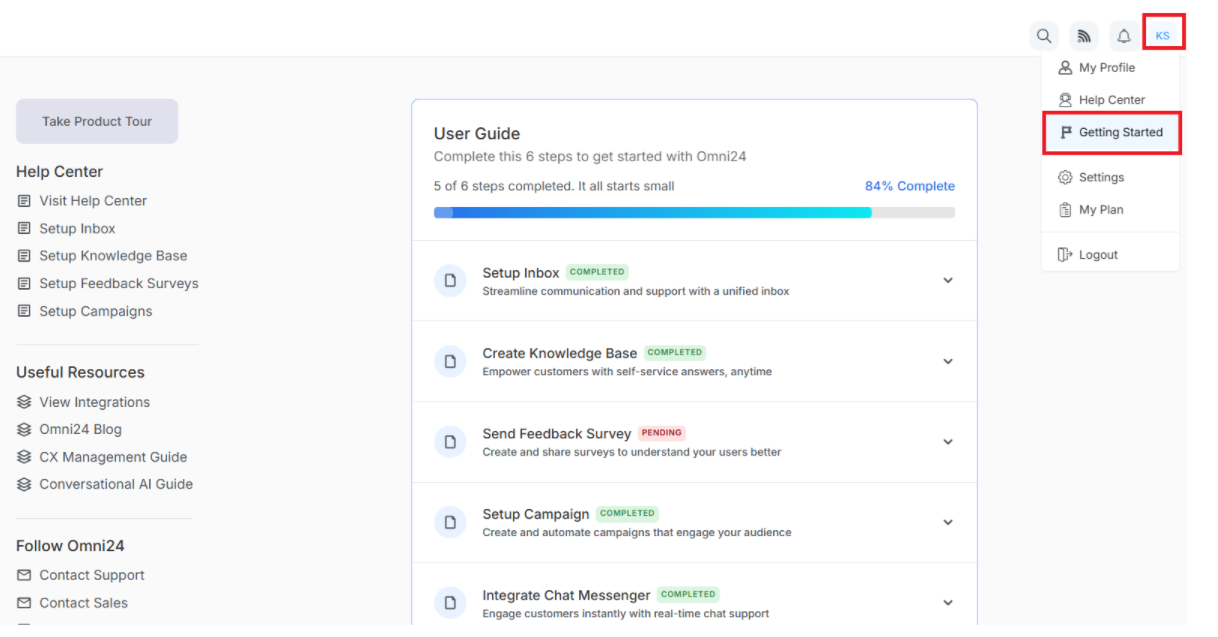
Take a Tour
“Take a Tour" is a guided walk-through feature that introduces Omni24’s key functionalities to new users. It demonstrates the platform's tools, interface, and features through step-by-step onboarding to help users understand how to effectively use them.
Customer Support Inbox
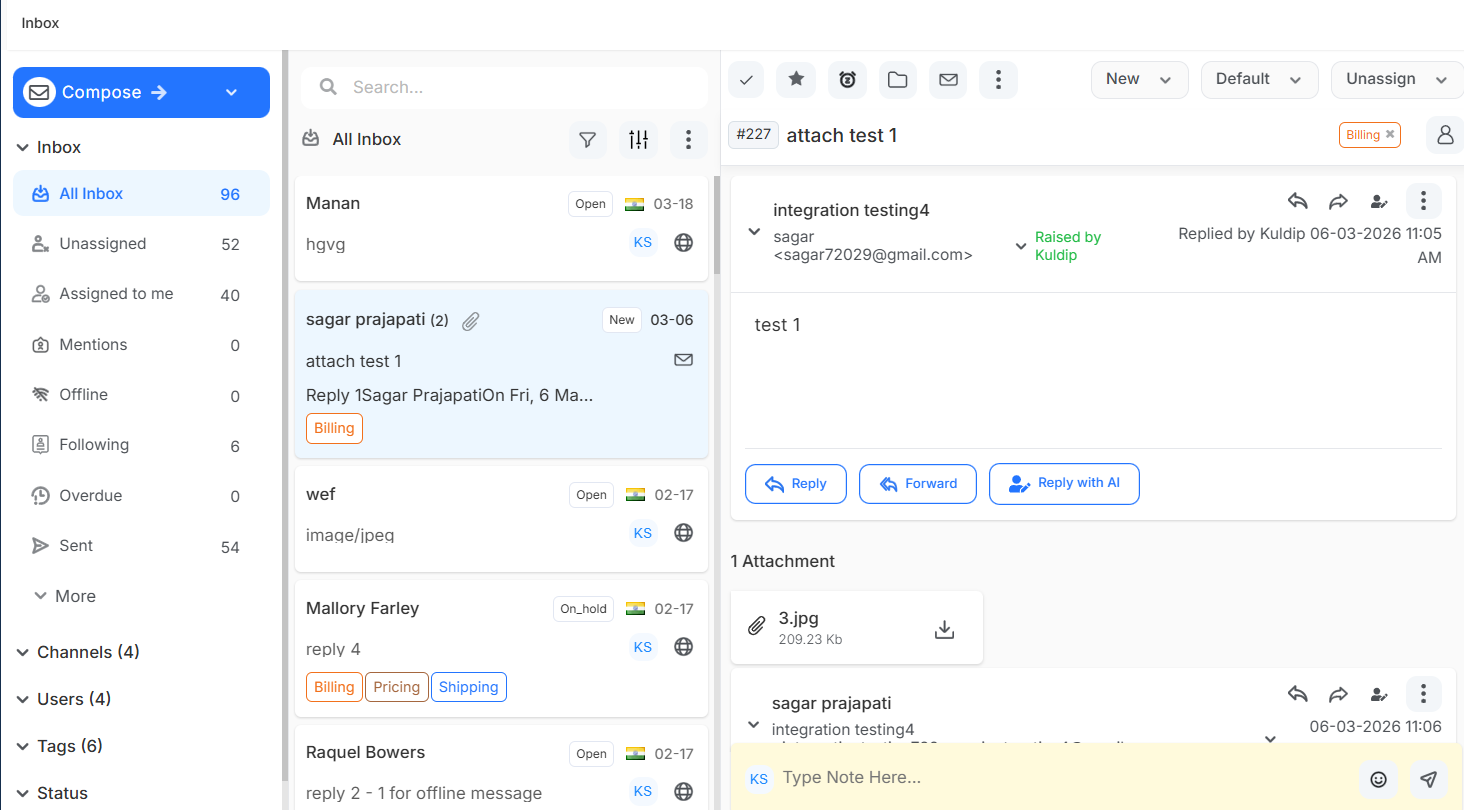
Centralized inbox that consolidates customer inquiries from multiple channels like email, live chat, and social media. It enables agents to manage, prioritize and respond to all customer conversations from a single unified interface..
Knowledge Base
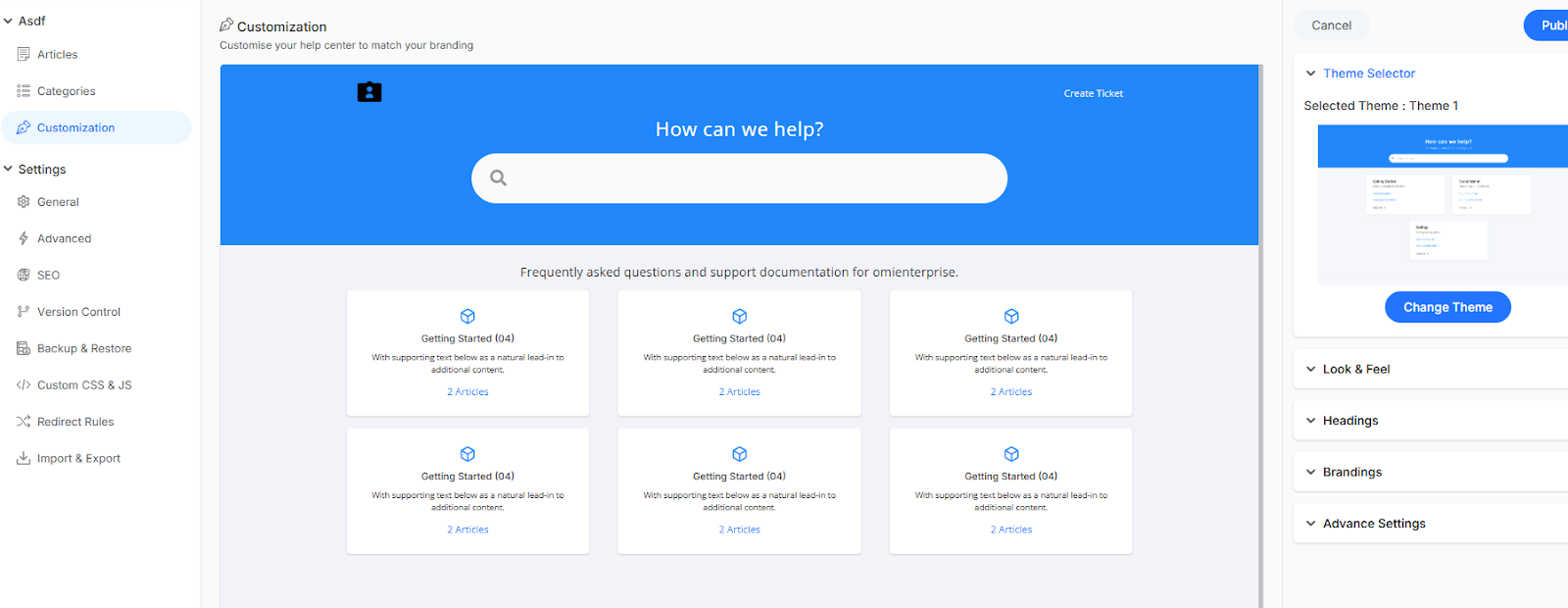
Centralized repository for creating, organizing, and sharing help articles, FAQs and documentation. The help center reduces support tickets while providing customers with self-service capability with instant answers to common questions.
Workflow Automation
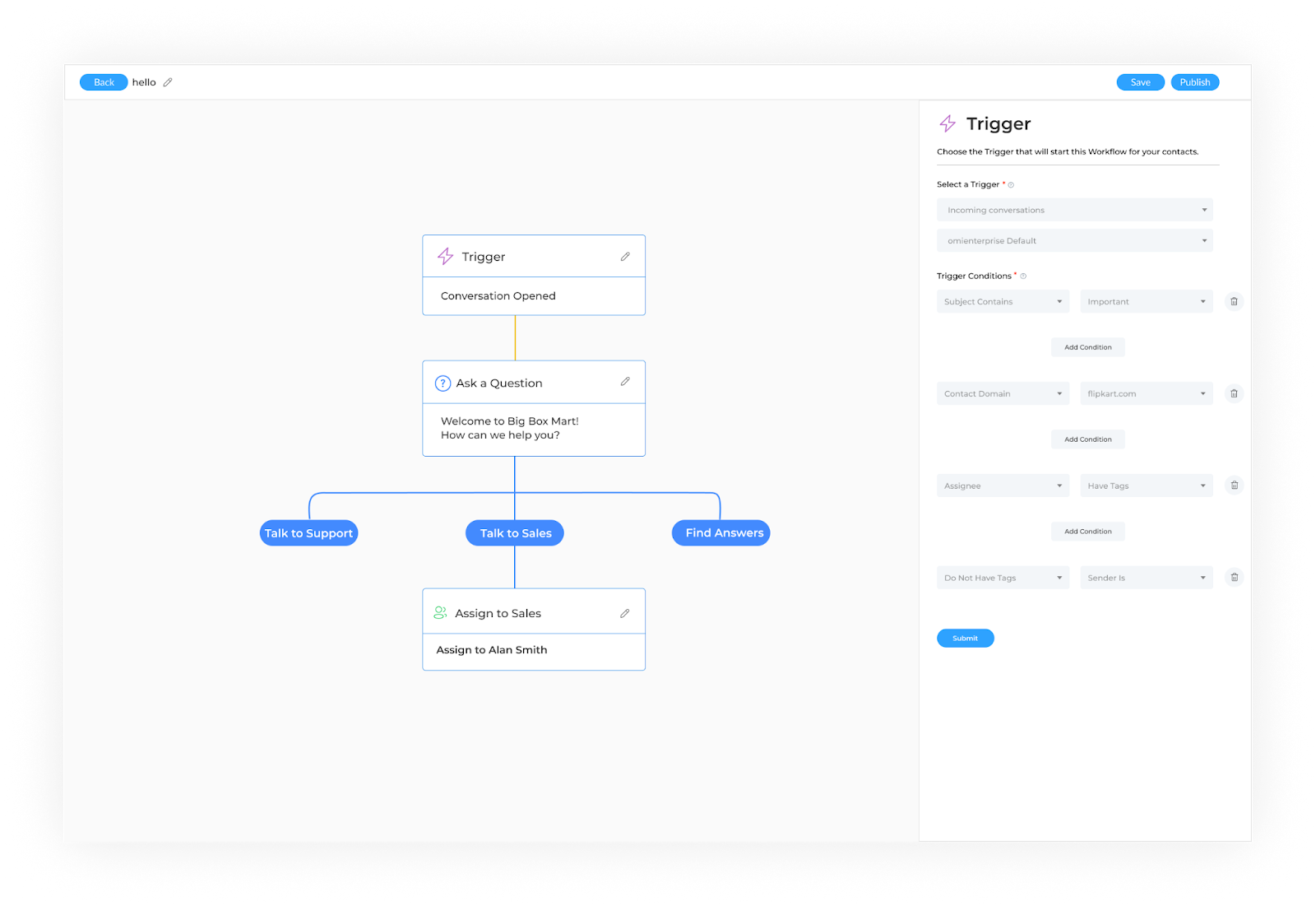
Automatically handle repetitive customer service tasks like ticket routing, follow-ups and status updates, so your team can focus on building meaningful relationships instead of manual busywork.
Team Productivity and Customer Insight
comprehensive feature that combines agent performance monitoring KPIs with customer interaction analytics, enabling businesses to optimize workflow efficiency while gathering actionable data to improve service quality and customer satisfaction.
Help Desk & Ticketing
Turn customer issues into organized tickets that never get lost. Track problems from start to finish, assign them to the right team members, and keep everyone updated automatically.
Social Media Engagement
Respond to customers' conversations across Facebook, Twitter and Instagram from one unified dashboard. Never miss a mention, comment, or message that could turn into loyal customers.
Campaign Management
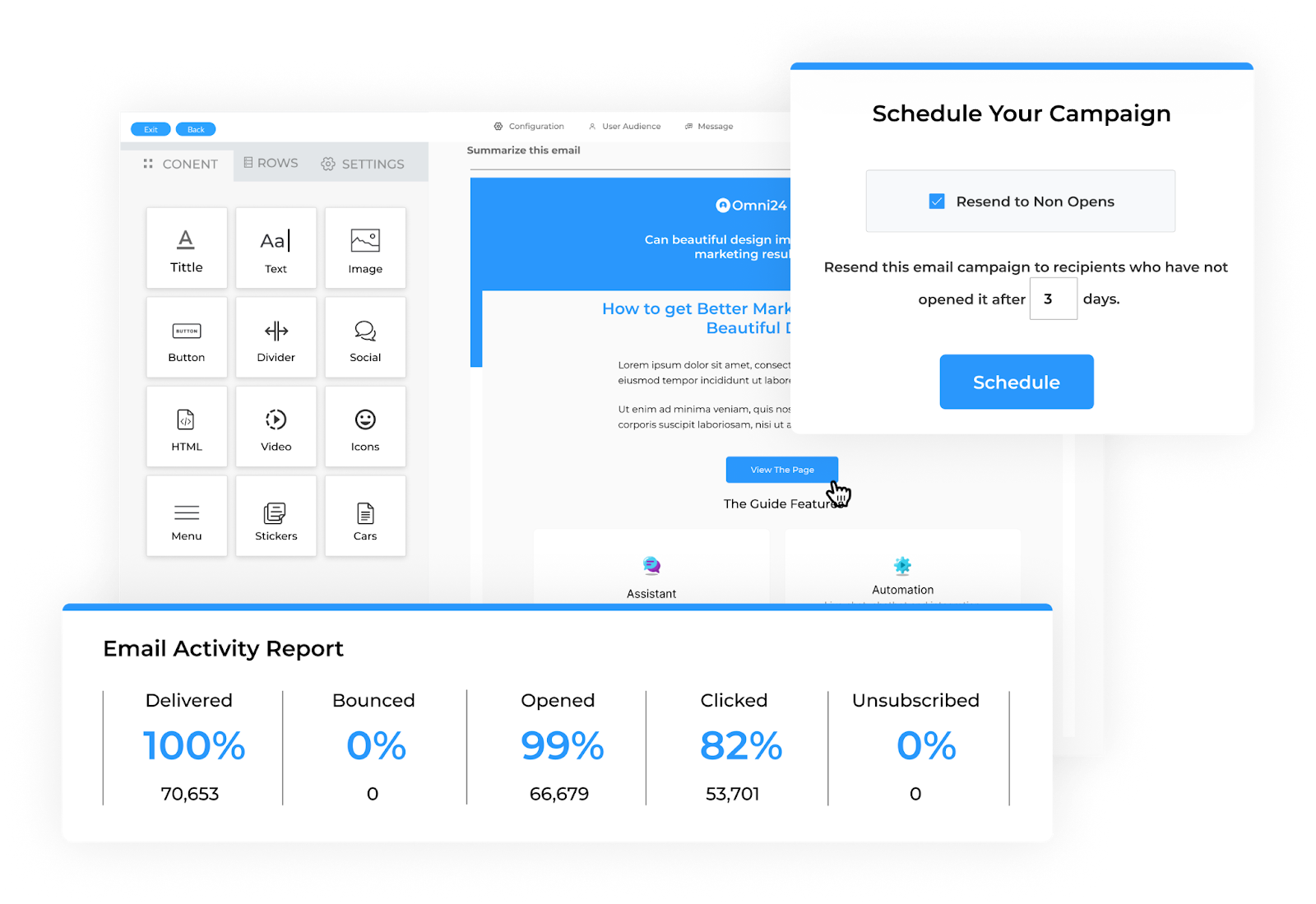
Create and send personalized email, SMS, and messenger campaigns that actually connect with your customers. Track opens, clicks, and responses to see what works and improve your outreach results.
User Guide
Complete all 6 Steps to set up your account and get started with the Omni24.
It covers:
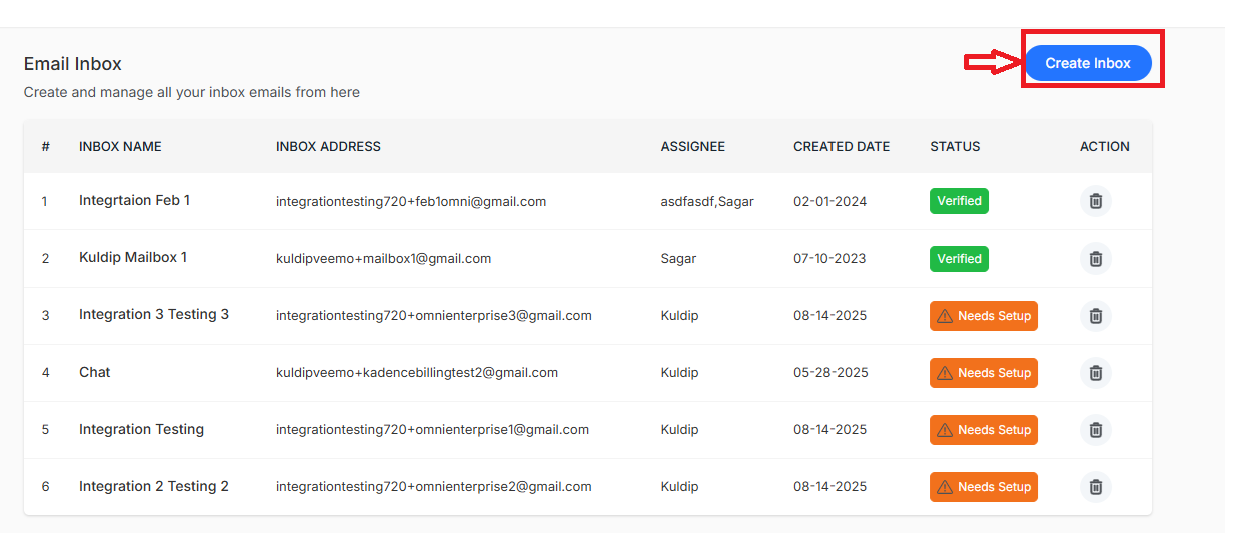
- Email Inbox Setup - Configure your support email addresses from settings to receive and manage customer inquiries directly within the inbox. to access it navigate to
- Knowledge Base Setup - Create a searchable library of answers, guides and FAQs that customers can access, reducing support tickets. Click on the knowledge base from the main dashboard menu to access it.
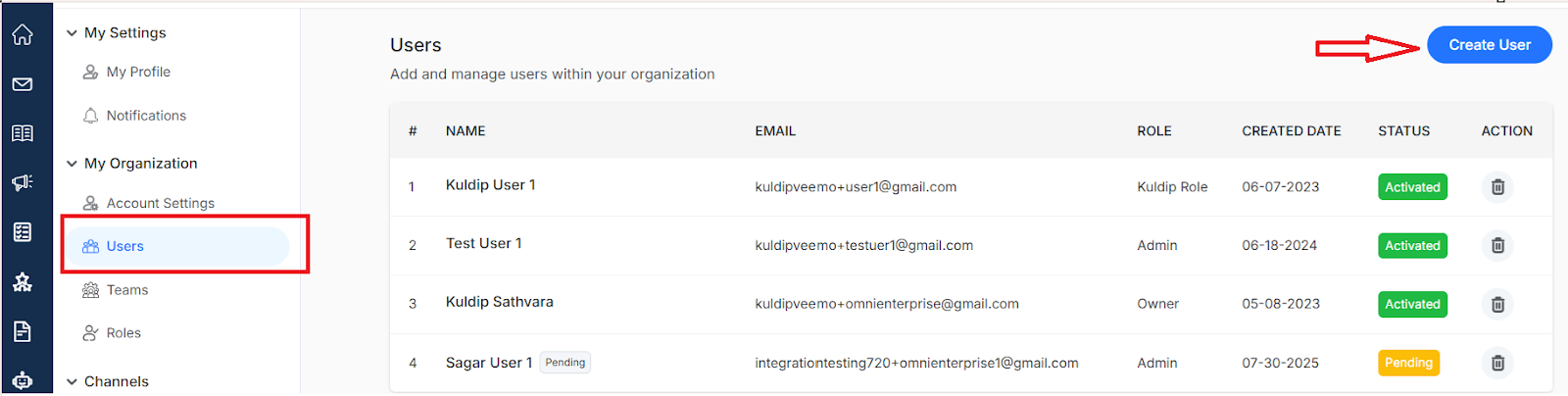
- Invite Team - Add members with custom roles and permissions, so everyone can collaborate while maintaining the right level of access. To access, navigate to settings > my organization > Users
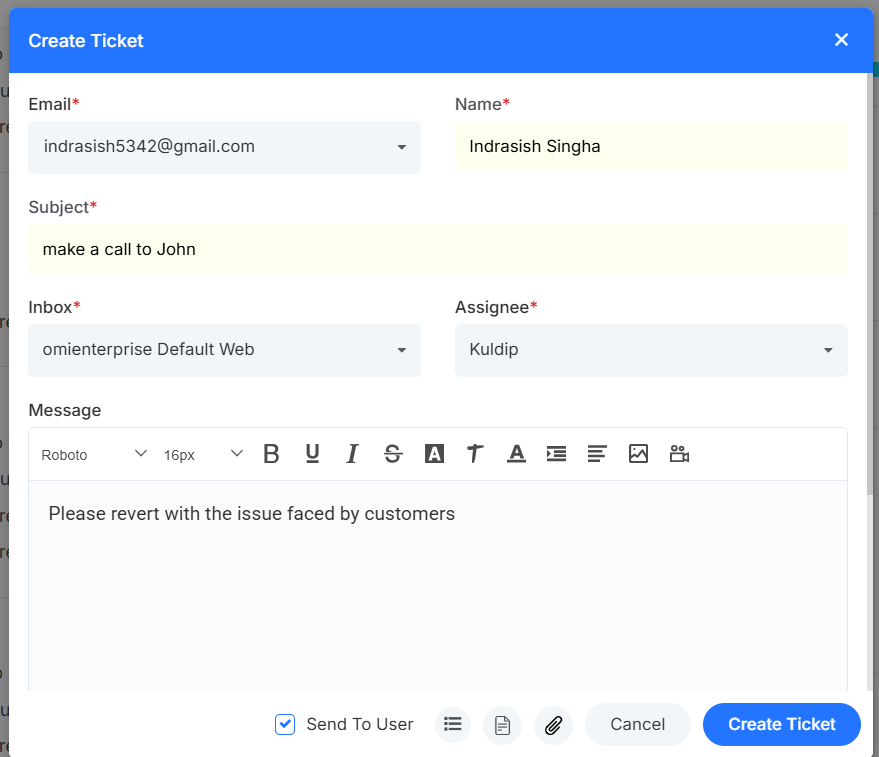
- Generate Ticket - Create a test support ticket to ensure your workflow and automation rules are functioning correctly.
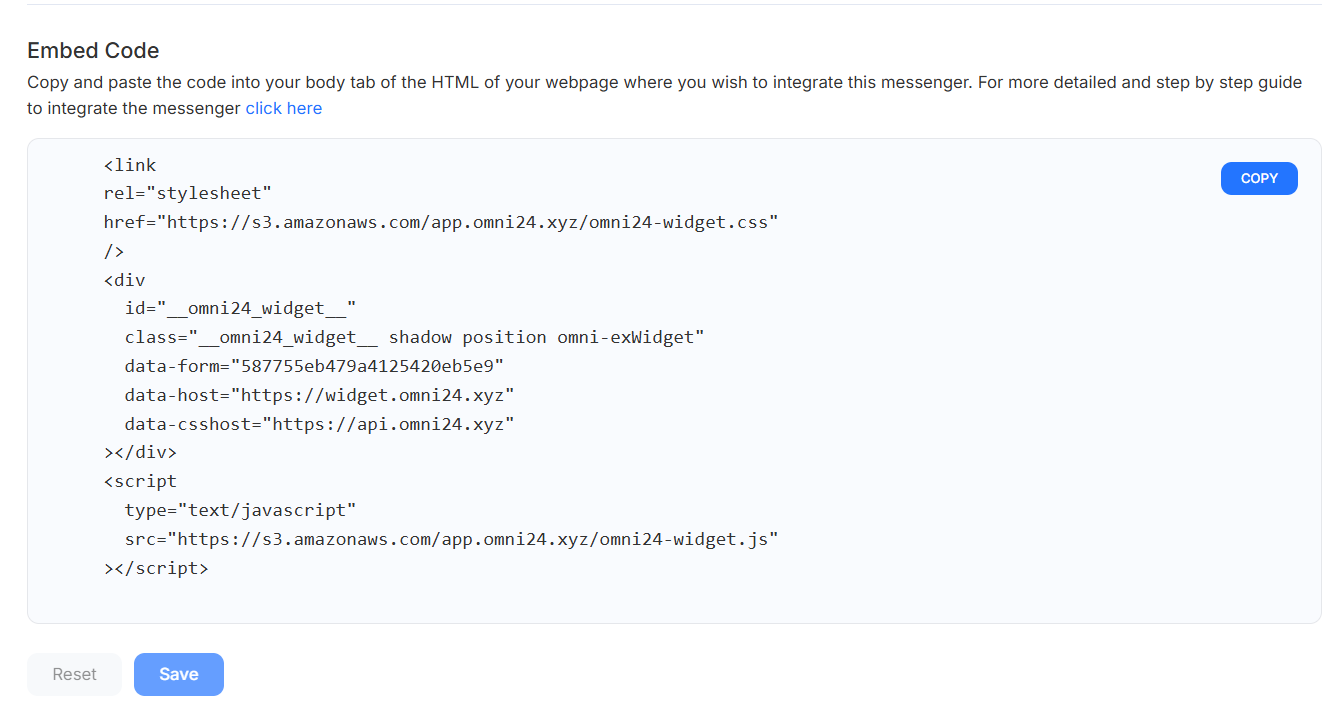
- Integrate Widget - Install the chat widget code snippet into your website's HTML to enable live chat functionality. Navigate to chat messenger from settings > channels > Chat Messenger
- Connect Facebook Messenger - Link your Facebook page to manage Messenger conversations directly. To access it navigate to settings > channels Facebook
Ready to transform your customer experience? Here's what you can do next!
- Invite Team Members: Bring your team on board and start collaborating