
General settings of the knowledge base is one of the most important sections of the knowledge base. These essential configurations determine who can find your help center, what it's called, and where it lives online. Getting these basics right sets you up for knowledge base success. Lets explore in detail
- Navigate to the knowledge base from the main dashboard menu
- Click on General under the Settings section

Your Knowledge Base Foundation

Knowledge Base Visibility
Decide who gets to see your amazing help center content. Choose between making it public or keeping it private for specific users only.
Knowledge Base Name
Give your help center a memorable name that customers will instantly recognize. It will appear in navigation and search results, so make it clear
Default Knowledge Base URL
Set the web address where customers can find your knowledge base. It becomes your help center's home, so choose a URL that's easy to remember and share.
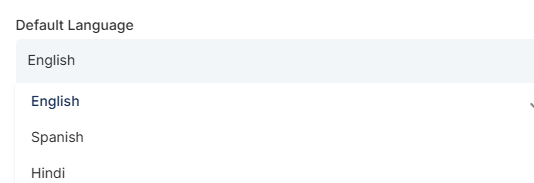
Default Language
Choose the primary language for your knowledge base between English, Spanish, French, or any other language.
Custom Domain (C-Name)
Want your knowledge base to be a part of your website? Configure a custom domain name instead of using the default URL by using a premium address that matches your brand.d
Reset Options
Need a fresh start? The reset feature restores all your general settings to their original default values.
Once done, click on Save to apply all the changes
What's next? Let's explore move one with the advanced functionalities
- Create and manage articles - Learn how to create articles that customers find helpful