
What is a Workflow Builder?
Workflow Builder is a kind of personal assistant that never sleeps. It automatically handles repetitive customer service tasks by following the exact rules you set, which frees up the team for meaningful conversations.
Omni24's Workflow Builder gives you a simple way to create smart automations without any technical headaches. Just enter the trigger & conditions and watch your workflows handle routine tasks efficiently every time.
Note: for setting up workflow in Omni24, no coding knowledge is required; just create your own rules
Navigate to the workflow builder by clicking on workflow from the main dashboard menu
How does it transform your Daily Work?
- Increased tech productivity - automated processes taking care of routine, repetitive tasks, IT staff have the freedom to focus on more critical projects.
- Higher efficiency - Reduction in errors, costs, and time leads to higher overall help desk efficiency.
- Automatic scheduling - Tasks can be scheduled and carried out automatically.
Getting Started with Workflow Builder
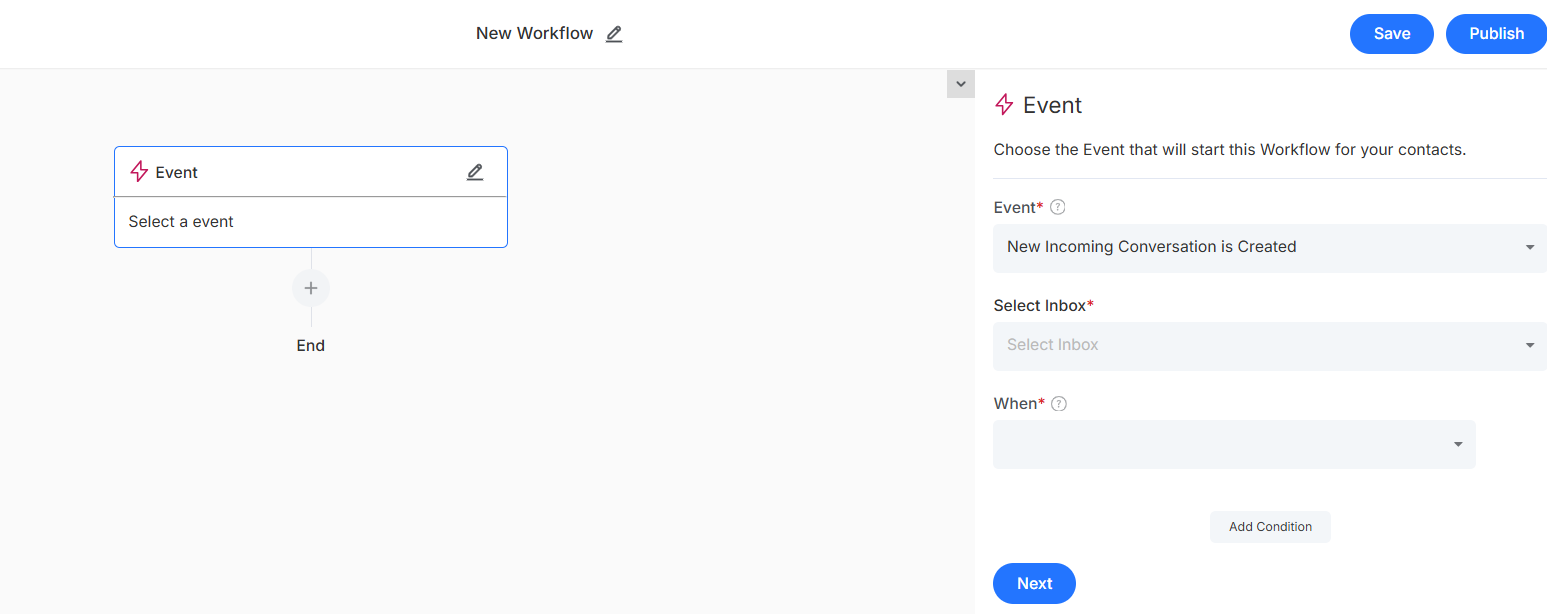
Trigger
This is where you decide exactly when your workflow should come into action, i.e, the trigger condition
an
It covers:
- Entity (event): The core component you want to automate, which serves as the foundation for your workflow.
- Trigger (activity) : the exact moment your workflow should spring into action (like when an incoming conversation, when an outgoing conversation)
- Trigger Conditions (when) : Events that must be true for your workflow to run

- Add More Condition: Layer in additional filters to make the workflow more precise.
Actions
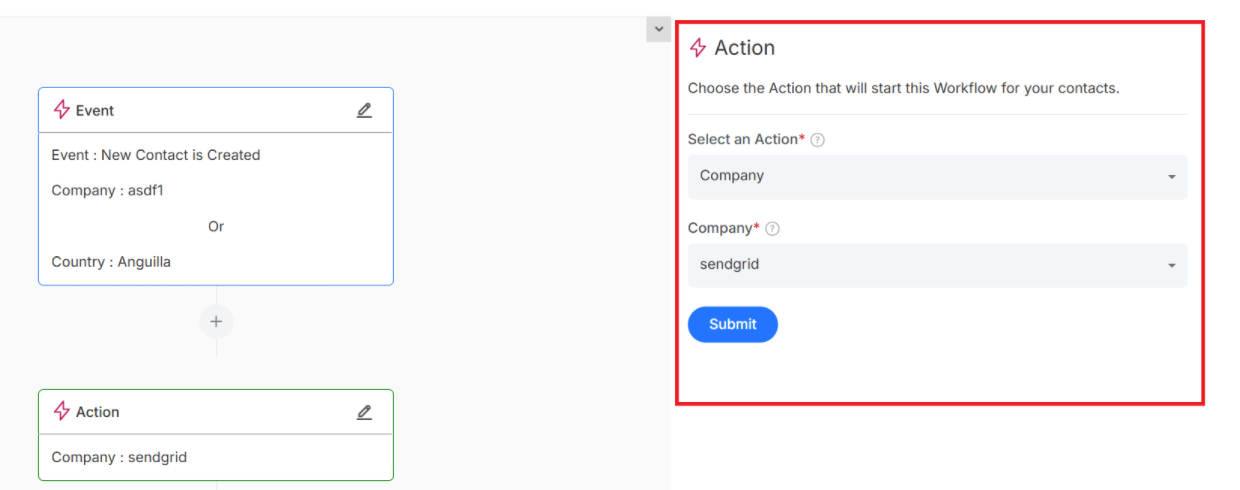
This is the important part, where you choose what happens automatically when trigger conditions are met
It covers:
- Action: Exactly what you want to happen when your workflow triggers (like assign to, set status, etc)
Now that you are Ready to build? Click here to learn how to create your first workflow and start automating common tasks