
Campaigns are your toolkit for creating meaningful, targeted messages that reach the right people at right time. Whether you're welcoming new customers, promoting features or nurturing relationships, campaigns enable you to communicate at scale while keeping the personal touch. Navigate to the campaign and create campaigns to access all the types of campaigns.
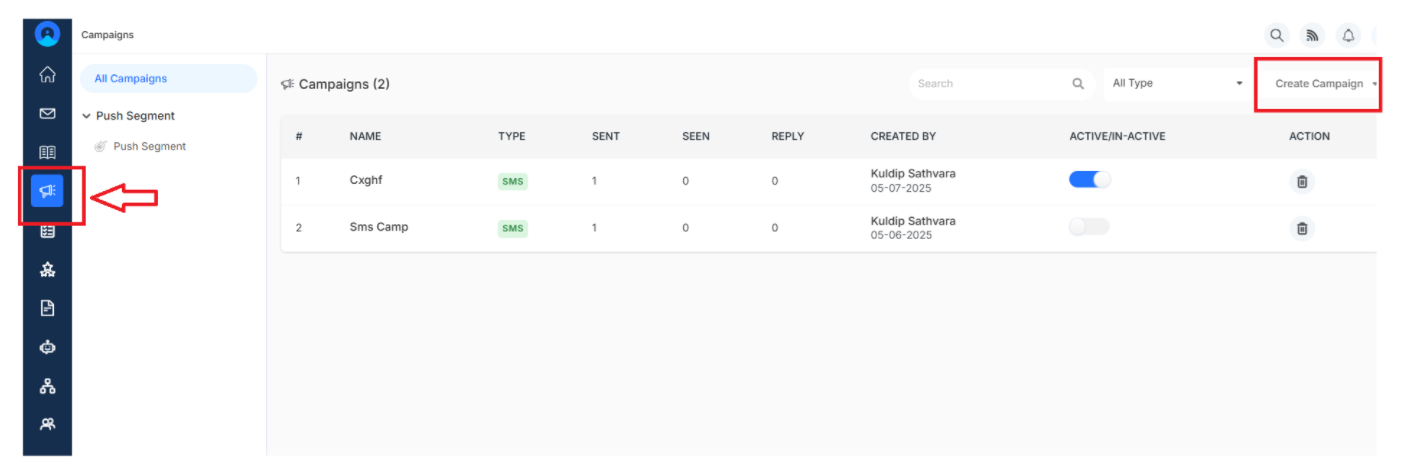
Benefits of Campaigns
- Increased efficiency and productivity - Automate your marketing messages so you can focus on customer relationships instead of manual sending
- Enhanced targeting and personalization - Send the right message to the right customer groups, making every communication relevant
- Better budget and resource allocation - Track what's working in real-time so you can double down on successful campaigns
Getting Started With Campaign
Create Campaign
It covers three types of campaigns:
- Message campaign - Create an automated omnichannel messaging campaign that delivers targeted content through chat customer behavior and triggers. Click here.
- Email Campaign - Design beautiful, personalized emails with responsive templates that look great everywhere. Click here
- SMS Campaign - Send quick, targeted text messages that customers can read instantly. Click here.
Edit Campaign
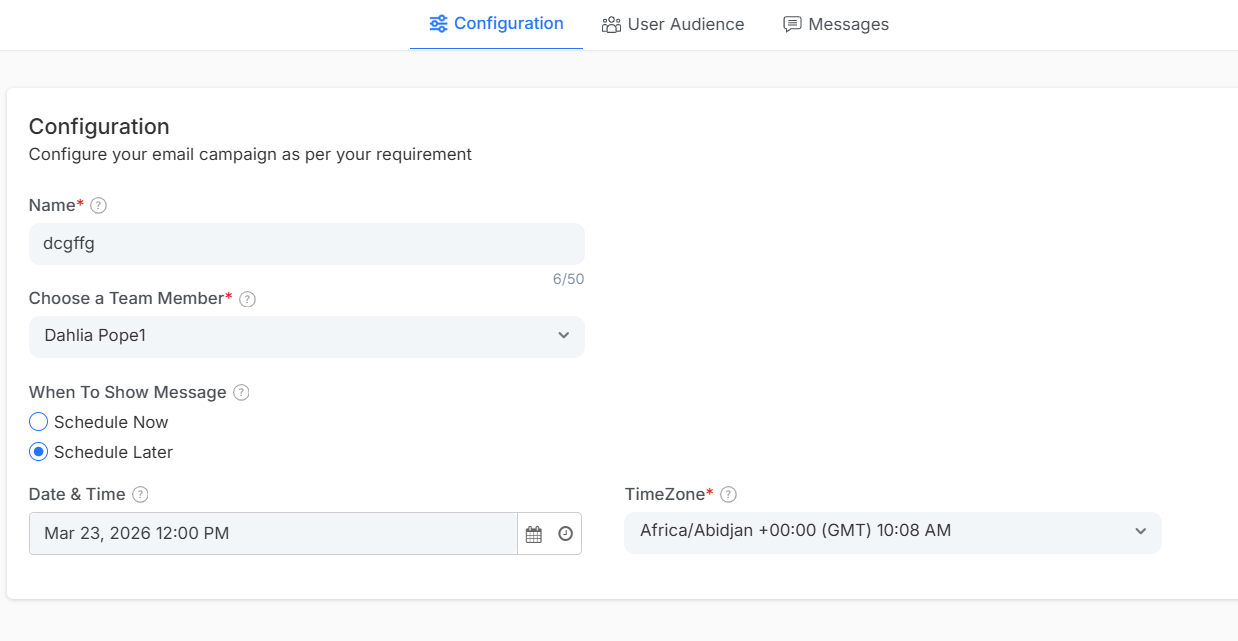
Fine-tune your campaigns with these customization options:
Configuration:
- Campaign Name - Give it a clear, memorable title
- Team Members - Choose who manages this campaign
- Message Timing - Decide when customers see your messages
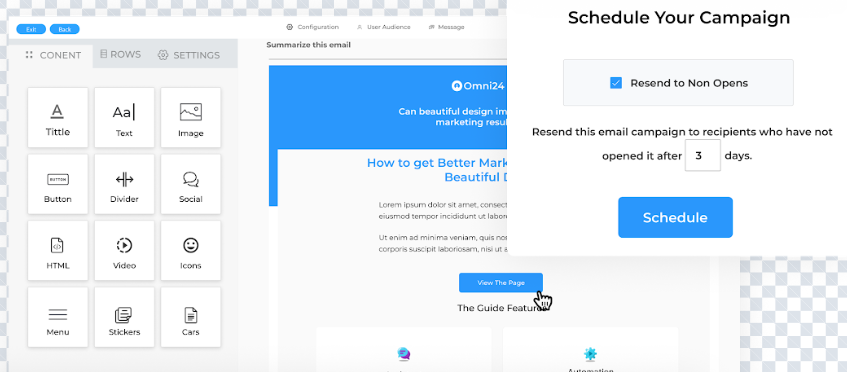
User Audience and context:
- Contact Filters - Target exactly the right customers based on their profile, behavior, or preferences
- Campaign Text - Craft messages that connect and convert
Push Segment
Create customer group segments on behavior, preferences and characteristics for highly targeted and personalized campaigns.
Navigate to Campaign > Pushsegment > Create
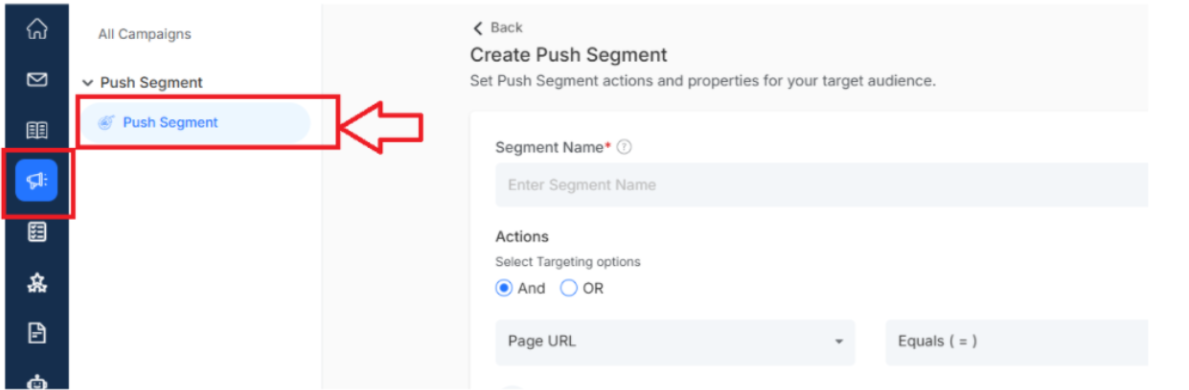
Add New Segments:
- Segment Name: Descriptive identifier that clearly indicates the targeting criteria for easy campaign management.
- Actions - Define behavioral triggers that determine which customers automatically qualify for the push segment.
- Properties - Set criteria that filter customers into this targeted segment for personalized push campaigns.
Edit Existing Segments
Refine your targeting by updating segment names, actions, and properties as your understanding of customers grows.
Campaign Dashboard
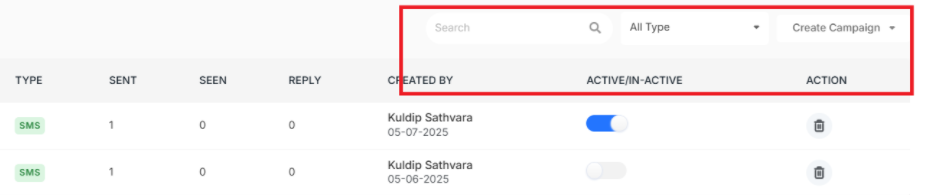
- Search: Quickly find any campaign by typing its name instantly
- Campaign Type Sorting: Filter campaigns by Message, Email or SMS types easily
- Delete Campaigns: Remove unused campaigns by clicking on the delete icon
- Active/Inactive Toggle: Turn campaigns on or off to control messaging instantly.
- Campaign Creation Details: See who created campaigns and when they started.
Note: Don’t know how to set up the push segment. Click Here.