
SMS campaigns are perfect for reaching customers instantly. It gets opened within minutes, making them ideal for time-sensitive offers or quick updates. You can also schedule a campaign in advance with messaging rules. Let's create an SMS campaign that gets results!
Step 1:
Navigate to Campaign > All Campaigns from your main dashboard menu
Step 2:
Click on Create Campaign and choose SMS Campaign from the drop-down
Step 3:
The new page opens as a Create SMS campaign, where you need to fill in all the details. Click on Create once you have set up, and your SMS campaign is ready to connect with customers
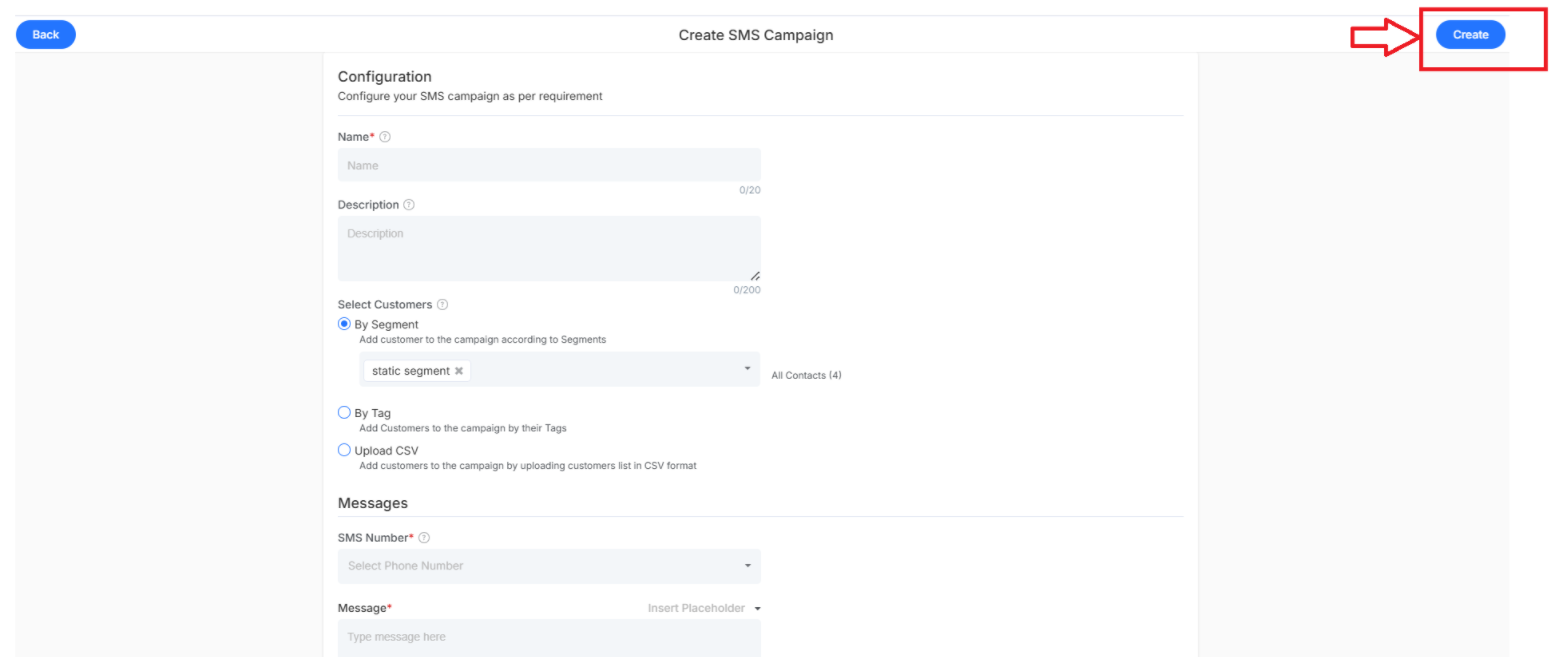
The fields required to be filled are:
- Name - Give your campaign a clear title
- Description - Add notes about your campaign
Select Customers
Select the customer groups that should receive the SMS Campaign. Different Customer Selection Methods available:
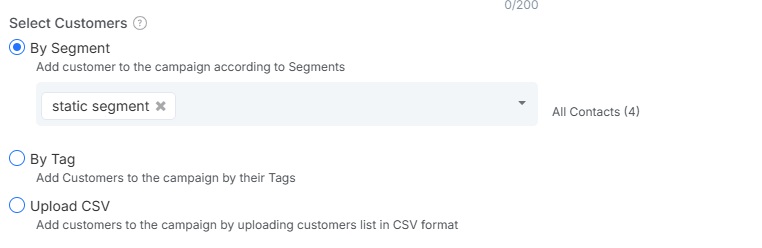
- By Segment - Customers will be added based on audience push segments that group users by specific behavioral criteria.
- By Tag - Target customers who are assigned to specific tags for organized campaign delivery.
- Upload CSV - Import a custom list of recipients by uploading a CSV file containing contact information for targeted SMS
Message Creation
The Messages section is where you craft the actual content that customers will receive. Create compelling SMS that encourages engagement while staying within character limits.
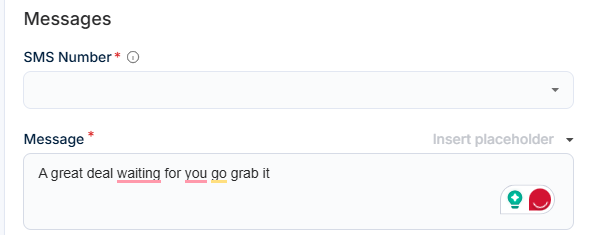
- SMS Number - Verified sender number (the number customers will see the text from)
- Message - Specify your text message concisely and clearly. (Watch the character count it will be only 320 characters)
Campaign Scheduling
The scheduling section gives you control over when and how your SMS campaign reaches customers.
Delivery Timing - Select when to send your campaign with two main options:
- Send Now - Launch your campaign immediately once published to your target audience
- Schedule Later - Plan your campaign for optimal timing based on customer work patterns
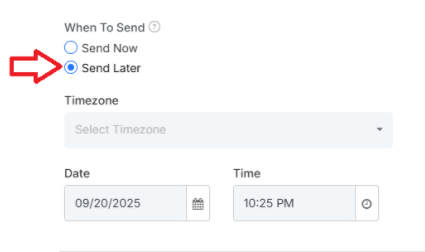
Time Zone Configuration: Select the appropriate time zone so that messages arrive at the customer's local time.
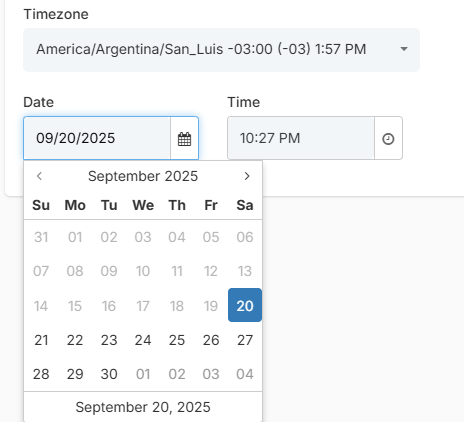
Date: Specific calendar date when your SMS campaign should be delivered to customers
What's next?
Ready with SMS campaign. Want to explore more campaign options?
- How to Create a Message Campaign - Create an automated chat campaign that nurtures relationships
- How to Create an Email Campaign - Craft an email campaign that drives engagement