
Email campaigns are your best for building lasting customer relationships! Create beautiful, targeted emails that land in the right inboxes at the right time. Customizable templates and smart automation help in nurturing leads and keeping customers engaged without the manual work.
Why Email Campaigns Work So Well?
- Build relationships on autopilot - Send personalized emails based on customer behavior so every message feels relevant and timely
- Target with precision - Group customers based on criteria to send exactly the right message to each audience
- Perfect timing, every time - Schedule campaigns in advance or trigger emails when customers take specific actions
Create an Email Campaign
Step 1: Get to Your Campaign Hub
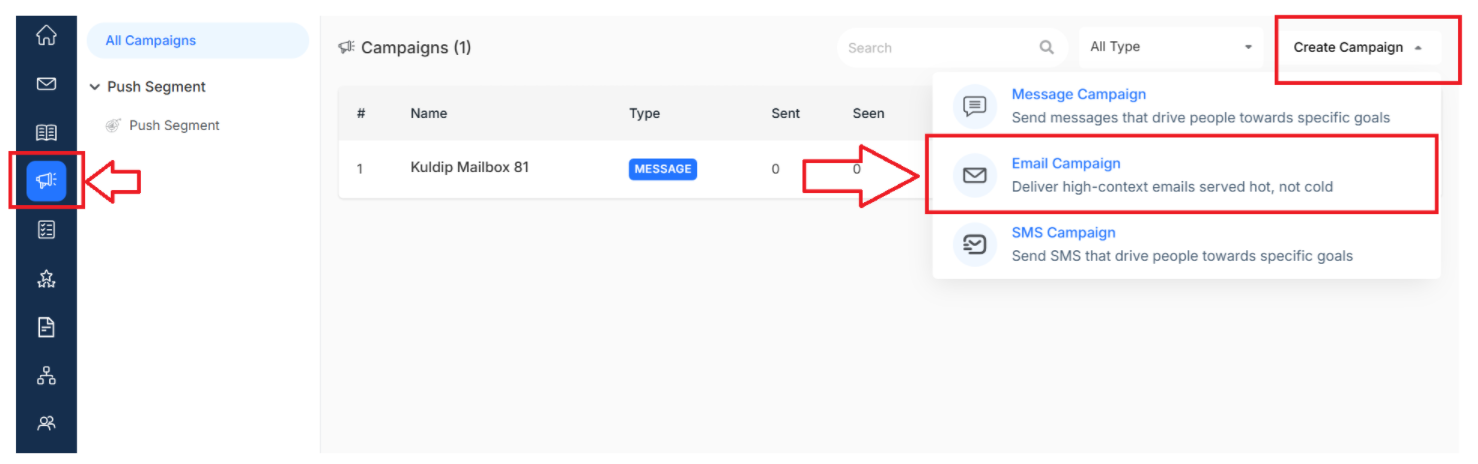
- Navigate to Campaign from your main dashboard
- Click on All Campaigns to see your existing campaigns
Step 2: Choose Your Campaign Type
- Click Create Campaign to start fresh
- Select Email Campaign from the dropdown menu
Step 3: Campaign Configuration
Set Up Your Email Campaign Basics to configure the essentials. Click Next when you're ready to move forward
The fields required to be filled are:
- Name - Clear, descriptive title for easy tracking
- Team Member - Who can manage this campaign?
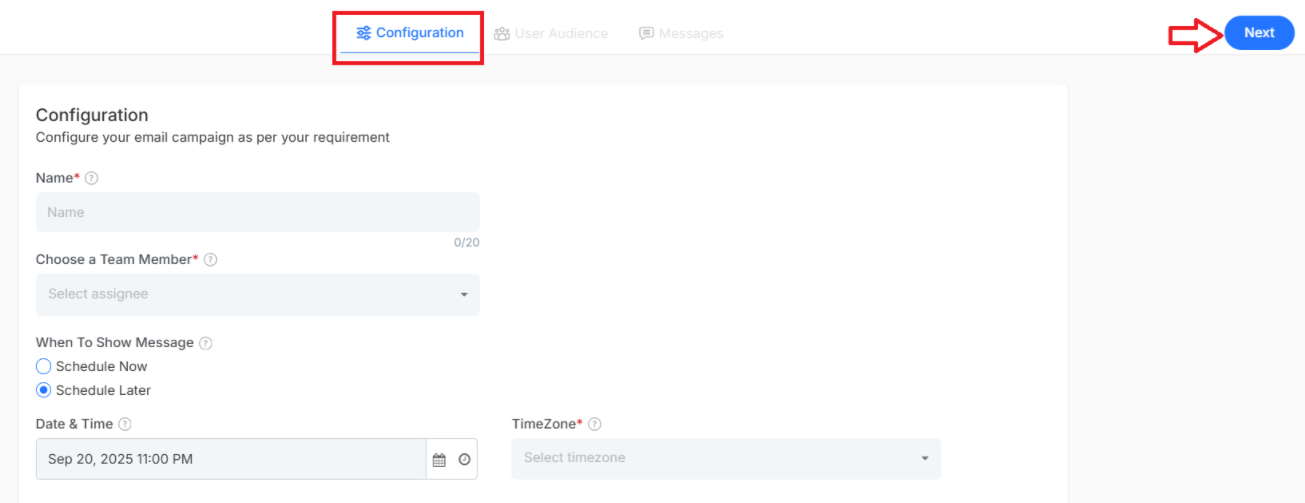
When selecting a schedule later, you can set the time zone along with the date and time for sending it at the perfect time and when you select now, the campaign will be published immediately
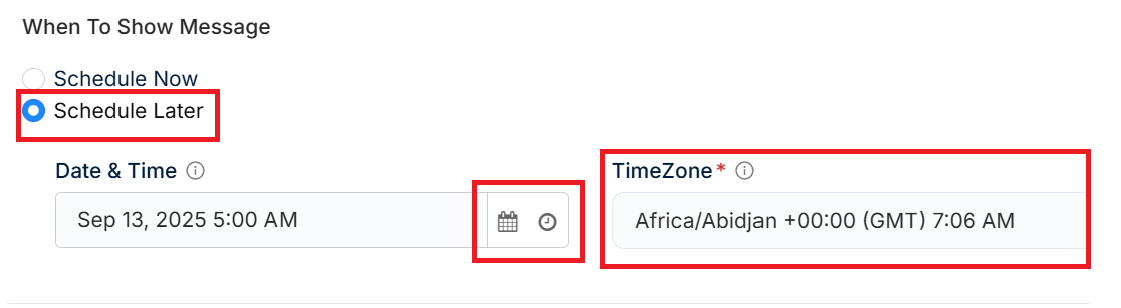
- Time Zone Settings - Select the time zone to ensure the email arrives at the right time for better engagement
- Date and Time Selection - Specify the exact delivery timing of your email for maximum impact.
Step 4: Campaign Audience
- Select exactly who should receive your email.
- Target the right customer groups to ensure your message resonates with the most valuable customers
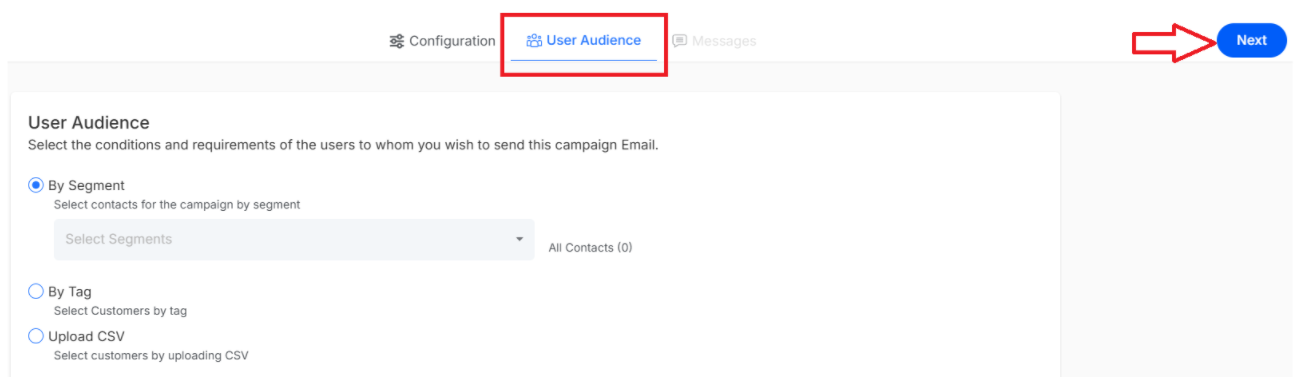
Once done, click on next.
Step 5: Design Your Email
Here's where your campaign comes! Use our email editor to create something beautiful:
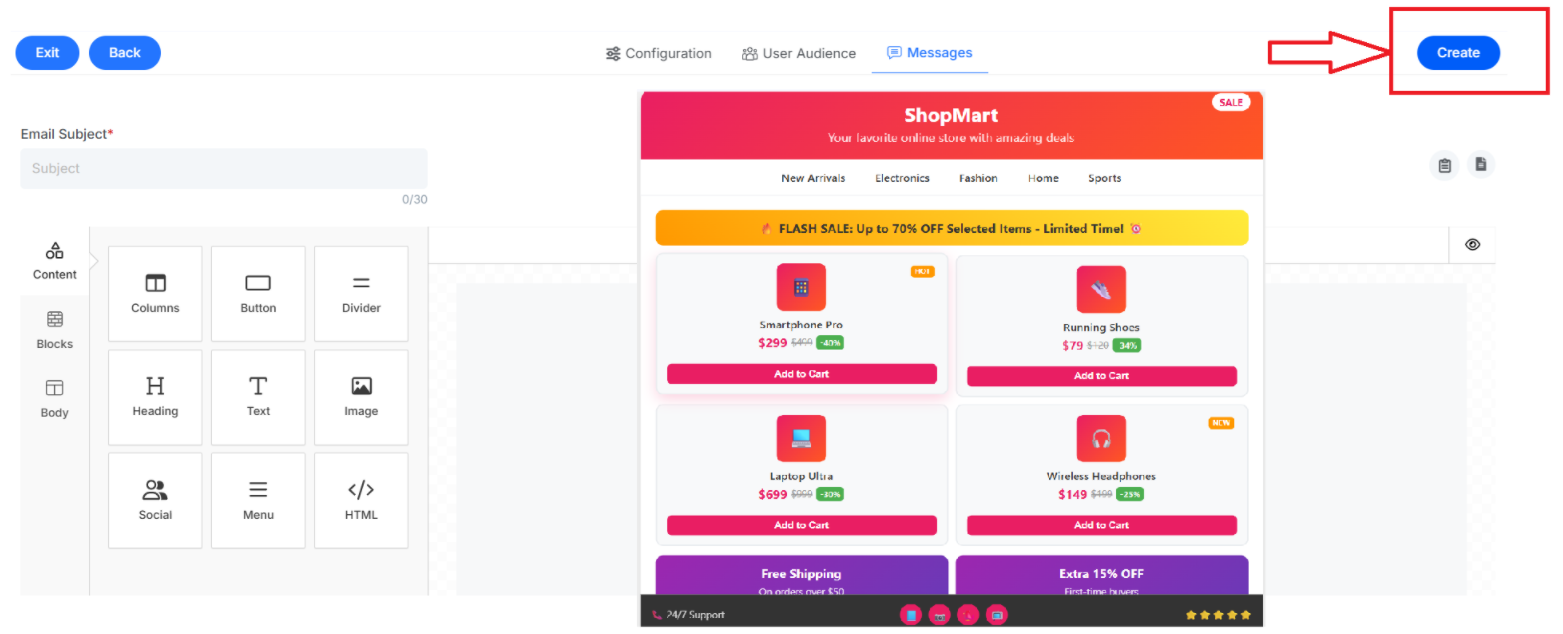
Email Subject - compelling subject lines (add personalization for extra impact!)
Essential Content Elements:
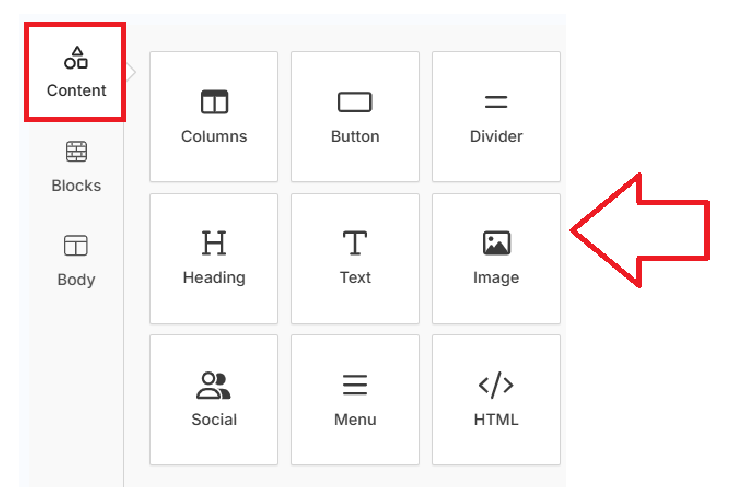
This essential provides the structural foundation and interactive elements for organizing your email campaigns. It allows you to create layouts and make them engaging and encourages customer interaction. Let's explore all the building options available under the content section
Columns
Create multi-column layouts for content presentation and a well-organized information display. It automatically adjusts based on the structure to maintain professionalism.
Button
clickable call-to-action (CTA) buttons with text, colors and linking destinations. Button styling helps to encourage customer engagement and drives specific business actions such as purchases or sign-ups.
Divider
Horizontal lines or spacers to separate content sections and improve readability, as it help to organize information chronologically while creating space among multiple sections.
Heading
A section title with customizable typography and a styling option to establish content hierarchy while drawing attention to important to key messages.
Text
Formatted body content with advanced text editing, styling formatting capabilities to allow for professional content presentation and customization.
Image
Photos, logos with sizing, alignment and linking options for visual impact to enhance message appeal while supporting demonstrations or even brand recognition efforts.
Social
Social media icons and links to extend engagement beyond email to encourage content sharing while connecting email campaigns to broader digital marketing.
HTML
Include custom code blocks for advanced functionality or specialized design elements. HTML blocks enable advanced customization while supporting integrations and campaign tracking.
Block Elements
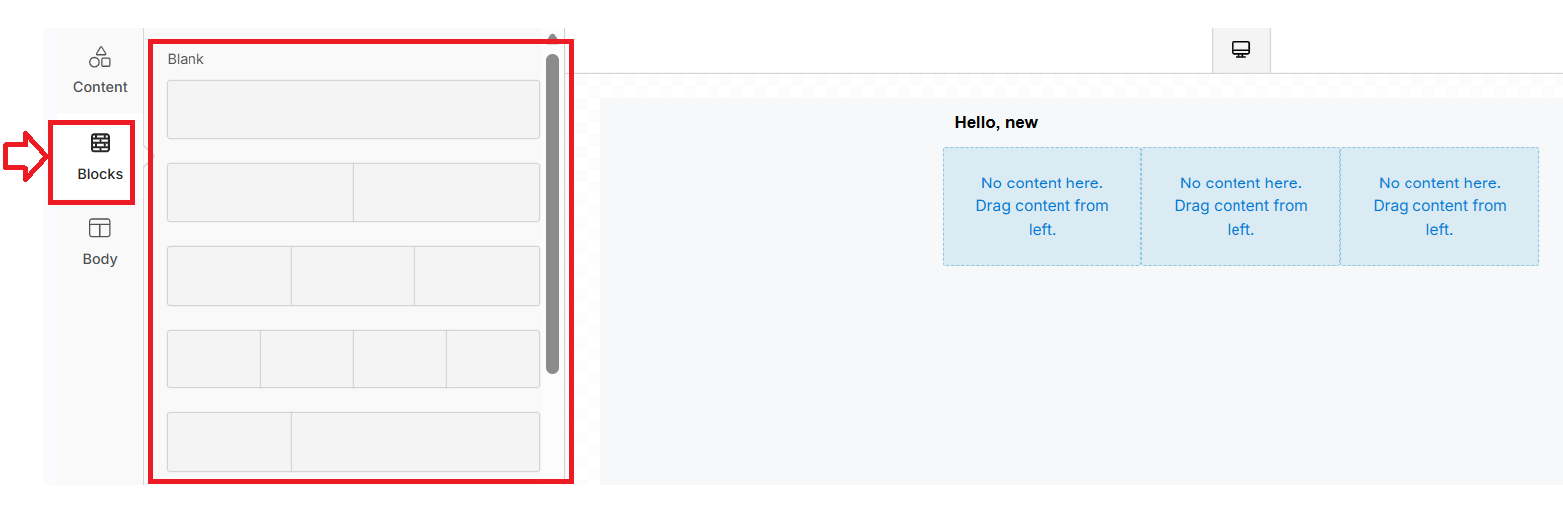
Block components provide pre-designed layout templates that you can customize and populate with your content. These templates eliminate the guesswork of campaign structure while providing a professional appearance for different campaign types.
Block layouts Available: The block section offers various pre-built email structures,
- Single-column layouts
- Two-column designs
- Three-column arrangements
- Mixed-layout templates.
Body Customization
Body settings control the overall appearance and global styling of your entire email campaign. The comprehensive controls ensure brand consistency while maintaining clear readability and professional presentation.
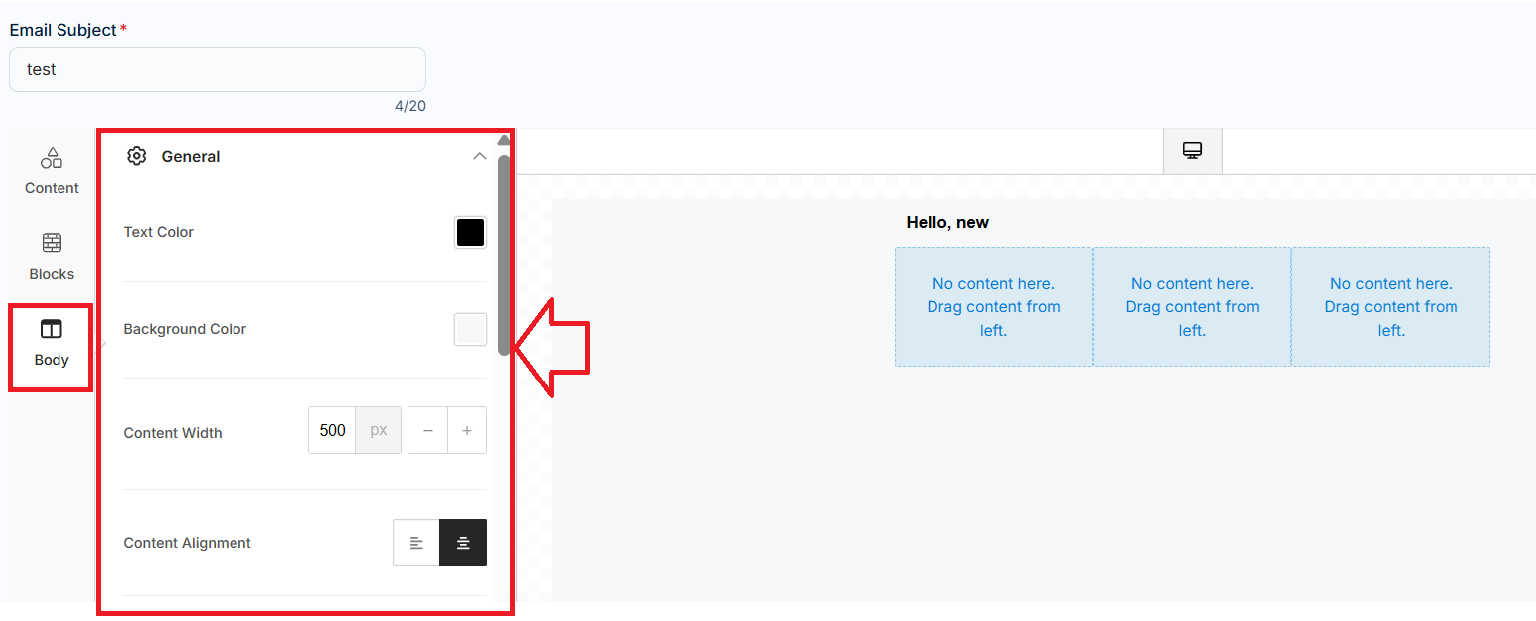
Available campaign Body Controls tools:
Text Color
Default text color to follow a consistent look throughout your email campaign while maintaining brand consistency across all elements.
Background Color
Background colors that complement your brand and improve engagement while enhancing visual appeal.
Content Width
Proper width settings of content help to maintain a professional appearance while ensuring compatibility with various email formats.
Content Alignment
Align your content for a professional presentation as it creates visual balance while improving content flow and reader engagement.
Drag-and-Drop Functionality
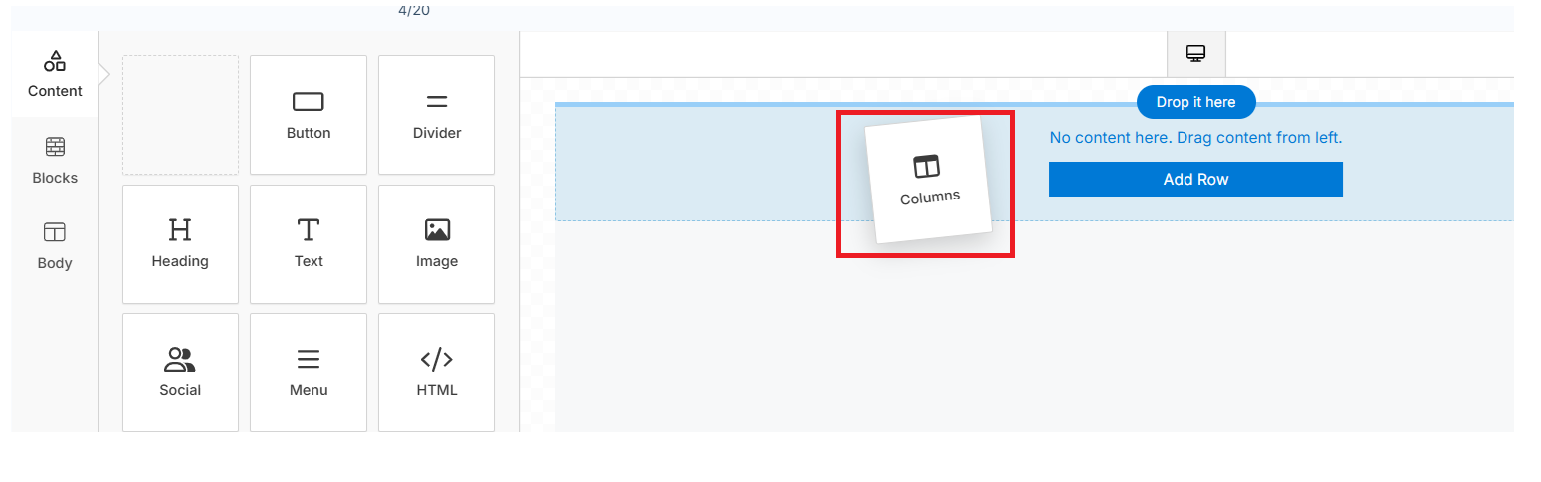
The email builder uses simple drag-and-drop mechanics where you select elements from the left panel and position them in your email canvas.
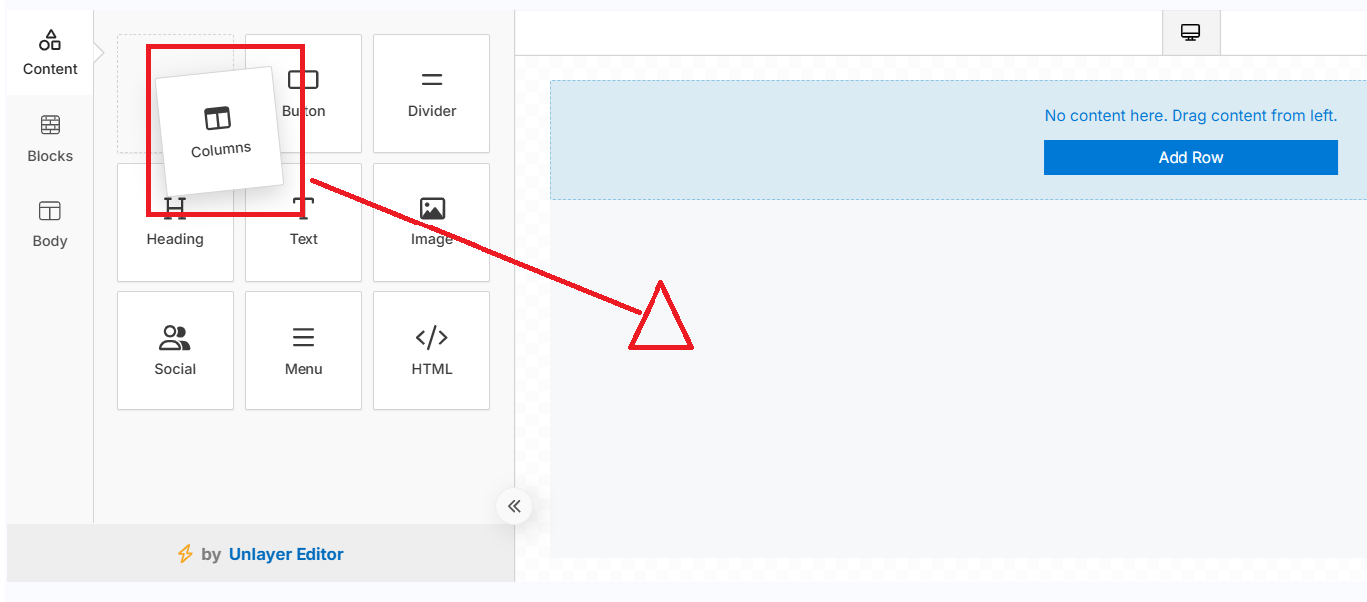
This approach lets you see exactly how your email will appear while building it, making design intuitive and immediate engagement
How to Activate/Inactivate an Email Campaign
- Navigate to the campaign from the main dashboard menu
- Enable or disable the toggle for the campaign list dashboard to activate or deactivate a campaign
Note: this activation and inactivation process is the same for all three types of campaigns. To delete a campaign, click on the delete icon beside the campaign
