
Push segments are your smart way to automatically group customers based on criteria! Instead of manually sorting contacts and dynamic segments, update them based on interactions with your business. It is perfect for sending the right message to the right people at exactly the right time.
Key Benefits for Push Segment:
- Automates contact segmentation based on real-time behavior and attributes, reducing manual effort and ensuring up-to-date audience targeting.
- Enhances campaign effectiveness by enabling precise, personalized messaging to dynamically update customer segments.
- Saves time and resources by eliminating the need for manual list updates while maintaining accurate audience categorization.
Create a Push Segment
Step 1:
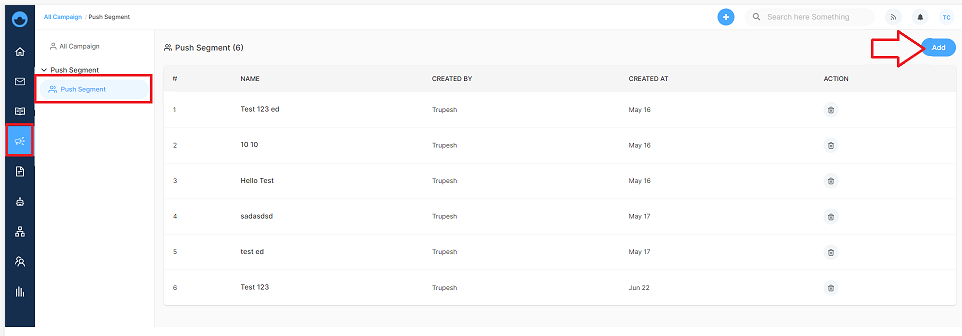
Head to Campaign from the main dashboard menu, find the Push Segment section, and click Add.
Step 2:
A Create Push Segment window will pop up. Here's what you'll set up
- Segment Name - Clear name that describes who belongs here
- Actions - Choose what customer behavior triggers addition to this segment (visited a specific page, downloaded something, etc.)
- Properties - Set up your rules using AND/OR conditions for customer qualification for the segment.
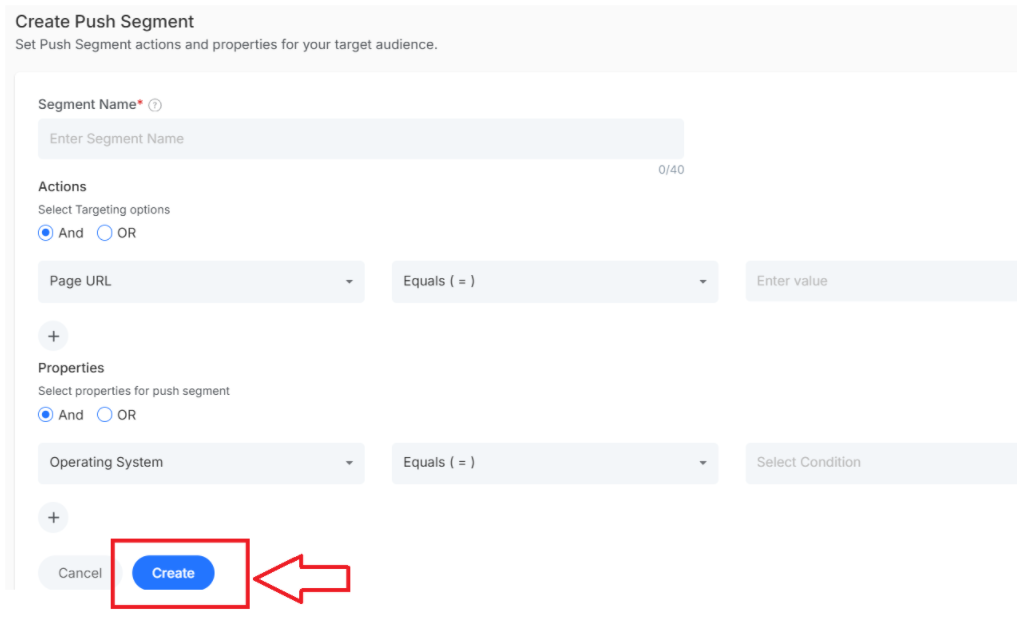
Hit Create and your smart segment is live!
Important: These are dynamic segments, so once your segment is created, it works automatically! As potential customers perform any actions, they'll be added to segments without any manual process so that they can be part of the campaign
Update an Existing Push Segment
Step 1:
Find the push segment you want to change and click on it from your list.
Step 2:
A segment updating page will open. Edit the push segment as per the requirement
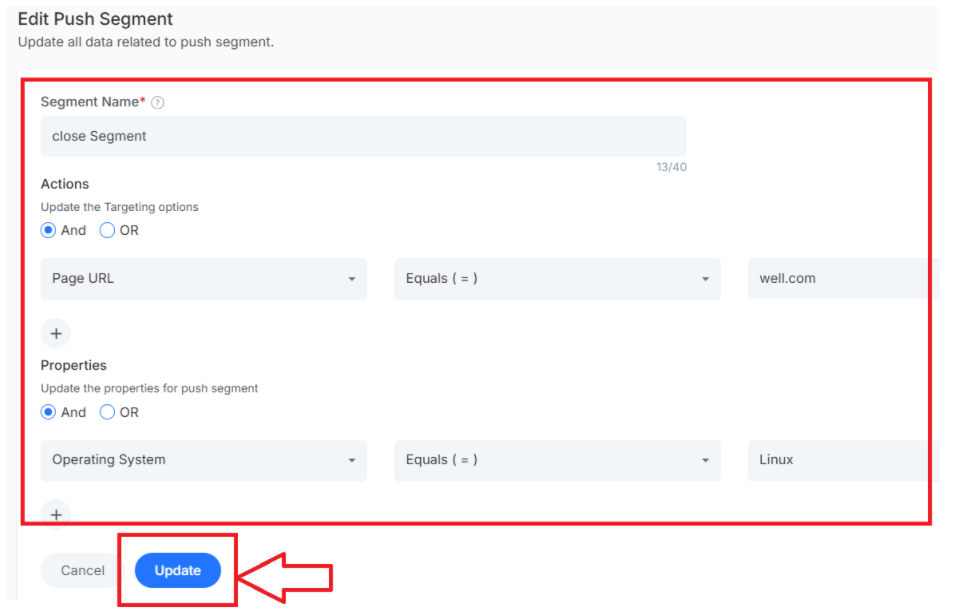
Click Update when you're finished and the segment will start using the new rules.
What's Next?
Now that you are ready with customer segments. Let's work with targeted campaigns that convert.
- Create targeted email campaigns - Send targeted email to each segment
- Set up SMS campaigns - Reach customers where they are with personalized quick texts