
Reporting within Omni24 transforms data points into clear, actionable insights using visual charts and graphs. Instead of guessing how your team is doing, you will have concrete data that helps you optimize your support strategy.
Benefits Of Report And Analytics
- Improve your agent’s efficiency by offering them clear and concise information about the issues that need their immediate attention with ways to solve them.
- Help you discover how your customers feel about your service. This allows you to find out whether they are satisfied with your service desk report or not.
- Analyze track and monitor the performance of your agents to help them improve their productivity and better understand the workflow
Note: To access the Report and Analytics Overview, navigate to Analytics for the main dashboard menu.
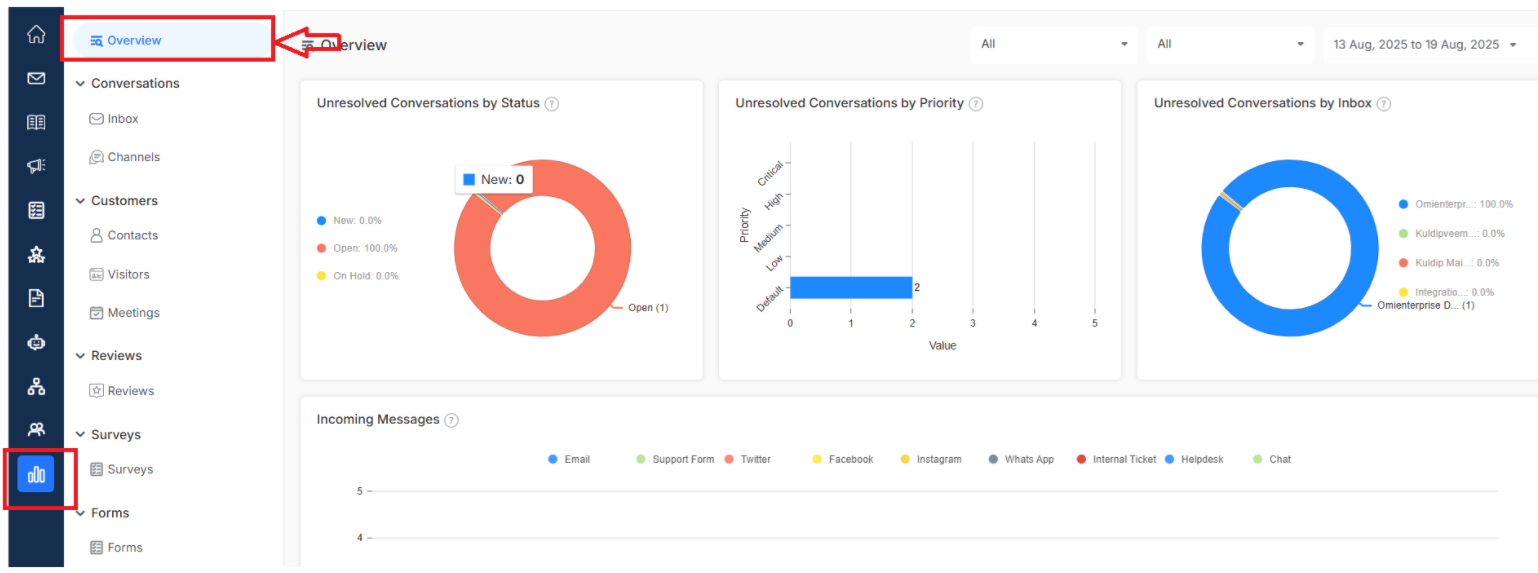
Getting Started With Report And Analytics
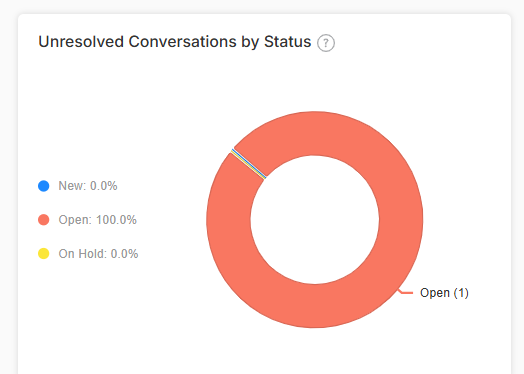
Unresolved Conversations by Status
See visually, number conversations are still waiting for resolution, organized by their current status over any time period to ensure nothing falls through the cracks.
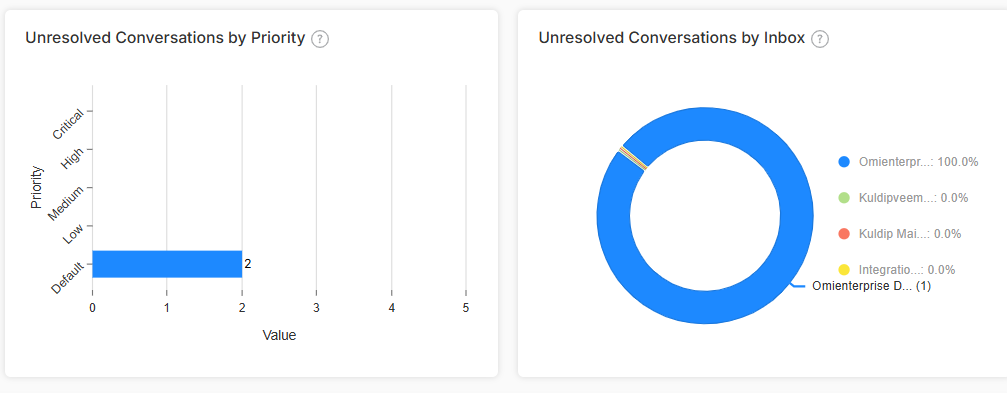
Unresolved Conversations by Priority
Understand which high-priority issues still need attention as they are managed based on urgency level over timeframes.
Note: This metric is Perfect for ensuring your most important customers get a fast response
Unresolved Conversations by Inbox
You will get a percentage breakdown of unsolved conversations from each inbox over any time to get insights on which inbox emails need extra attention or resources.
Want to dive deeper into inbox performance? Click here to explore comprehensive inbox reporting.
Incoming Message Flow
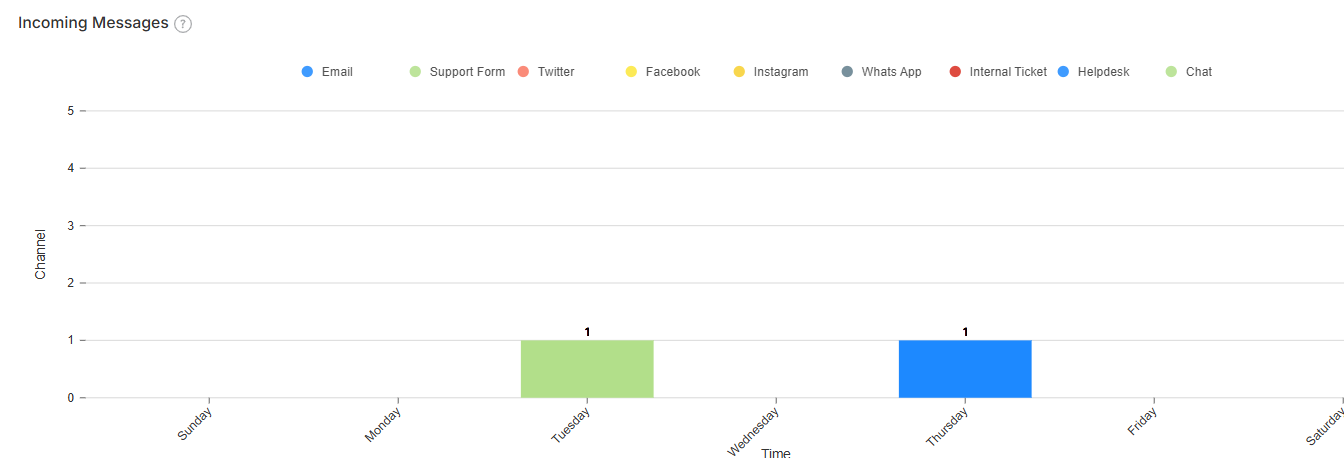
You can visualize the flow of conversations coming from all your different channels like email, forms, social media and more. Know more about Customer reporting
Conversation Distribution Heatmap
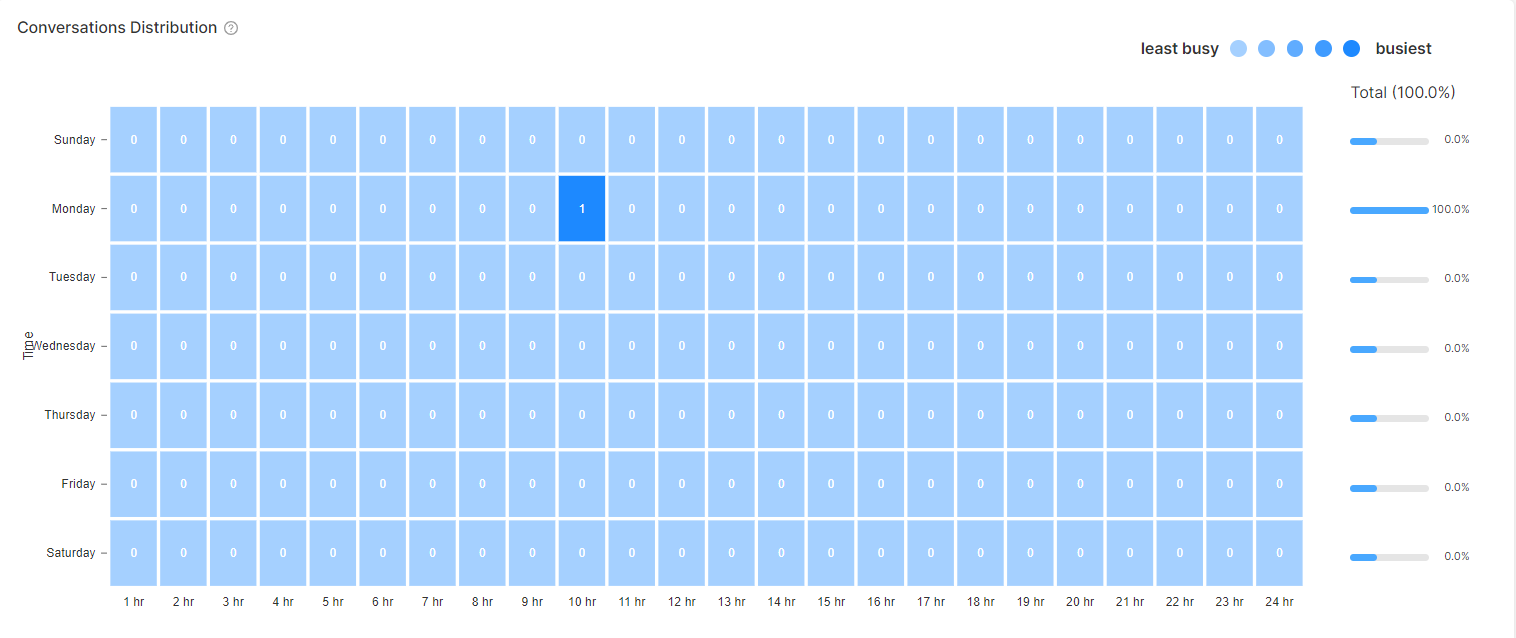
Visualize how conversations are distributed with an intuitive heatmap. Spot your busiest period and plan your staffing to efficiently handle sudden spikes in customer inquiries